
Extension ControlNet
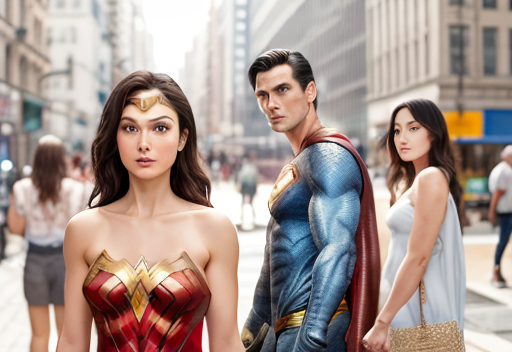
ControlNet คือเครื่องมือที่ใช้ลอกท่าทางหรือโครงสร้างต่าง ๆ มาจากภาพต้นแบบ ช่วยในการจัดภาพได้ง่ายขึ้น ไม่ต้องมาลุ้นตอนสุ่ม RNG เวลากำหนด prompt ให้แบบในรูปโพสท่านั้นท่านี้ หรือจัดการมุมกล้องเข้า ๆ ออก ๆ ที่สุ่มมาไม่ค่อยได้ดังใจเท่าไร

Installation
https://github.com/Mikubill/sd-webui-controlnet
Model
path: \stable-diffusion-webui\extensions\sd-webui-additional-networks\models
- canny - ตรวจจับขอบภาพ เหมาะสำหรับไว้ทำภาพ Anime
- depth - depth map เหมาะสำหรับสร้างภาพที่มีความลึกหลายระดับ
- hed - คล้าย canny ตรวจจับขอบภาพ เหมาะไว้ทำภาพแนว photorealistic
- mlsd - เน้นจับขอบภาพแบบเส้นตรง เหมาะสำหรับไว้ copy โครงบ้าน
- normal - normal map จับความลึกแบบ 3 มิติ
- openpose - เอาตัวก้าง ๆ มาทำเป็นโมเดล โดยตัวก้าง ๆ สามารถ gen เองง่าย ๆ หรือใช้ PoseMaker
Parameters
- Parameter ต่าง ๆ ของ img2img ทุกตัวยังคงมีผลปกติ เช่น Denoising strength
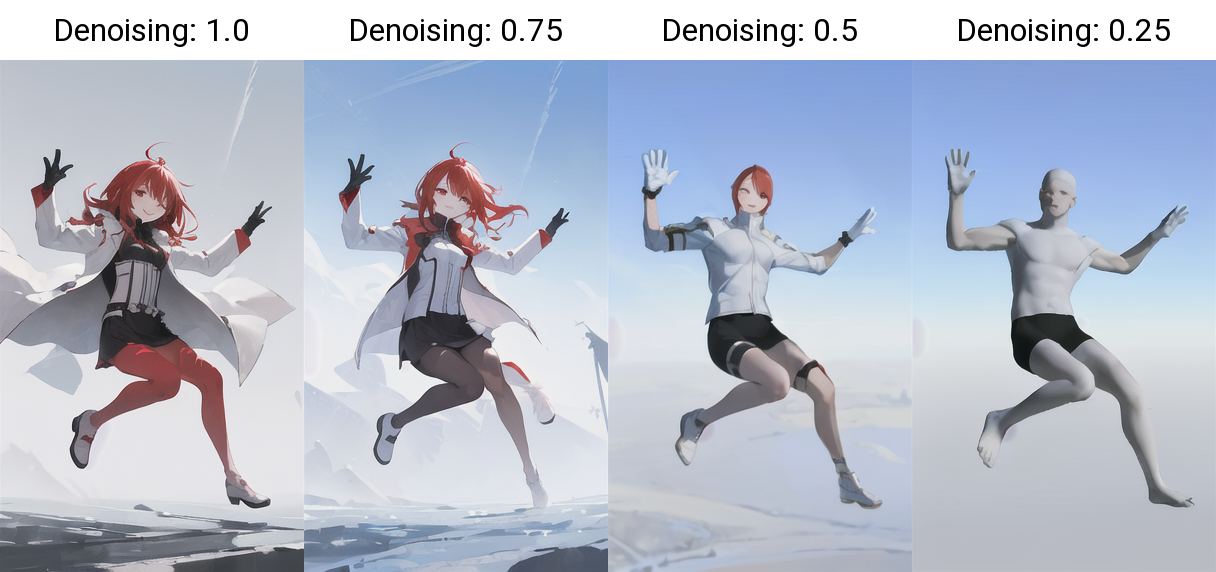
- Weight - อิทธิพลของตัว ControlNet ที่อิงต่อแบบ ถ้าค่ามากท่าทางทุกอย่างก็จะเหมือนแบบ ถ้าค่าน้อยก็จะยิ่งสุ่มไปตรงกับ prompt มากขึ้น
- Guidance Strength -
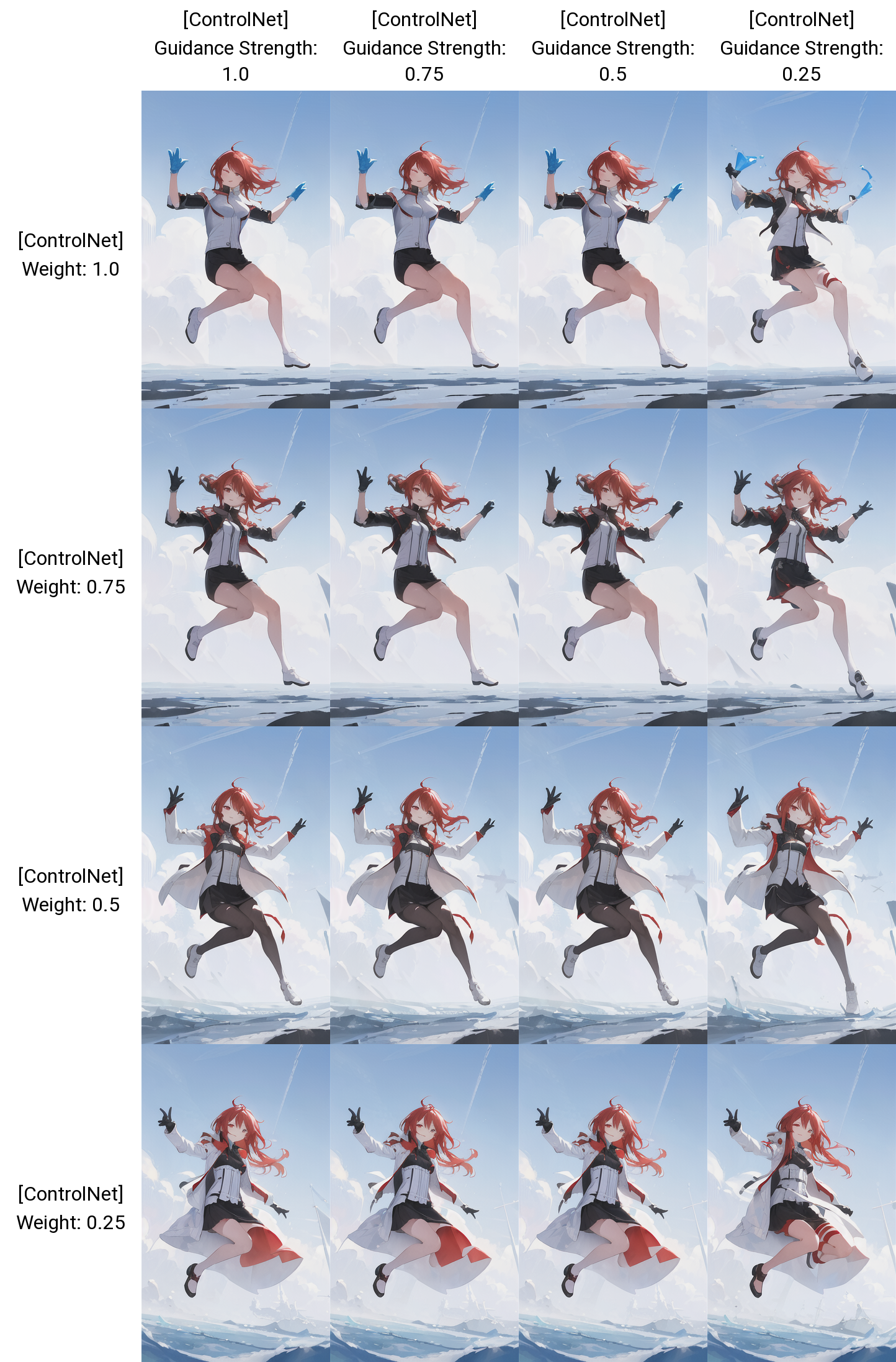
Weight x Guidance Strenght (กดเพื่อขยาย)
ภาพต้นแบบ
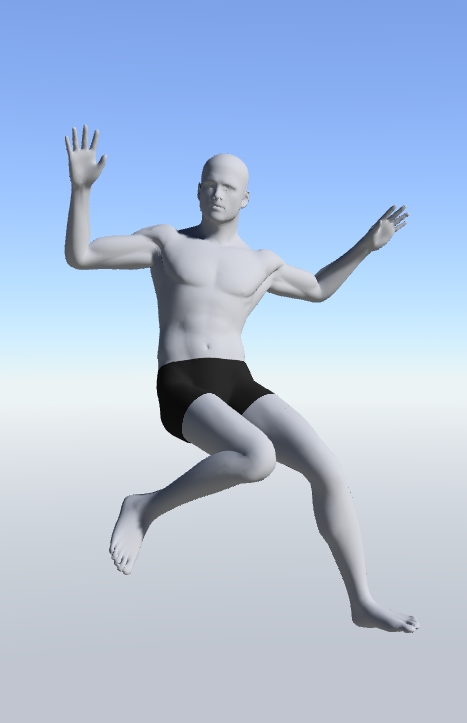
Prompt ที่กำหนดไว้คือ
((masterpiece,best quality)),1girl, long hair, red hair, solo, dress, red eyes,
looking at viewer, long sleeves,white dress, gloves, hair order, black jacket,
smile, floating hair,- Model CounterfeitV25
- Step 24
- CFG Scale 10
- Denoising strength 0.8 (ดังนั้นเวลาเปิดใช้ ControlNet มันจะไม่เริ่มโดยเหมือนภาพต้นแบบ 100%)
ยิ่ง Weight น้อย ก็จะยิ่งตรงกับ Prompt สังเกตได้จาก ผมและชุดรวมถึงเสื้อแขนยาวที่ยาวขึ้นเรื่อย ๆ
Workflow
เตรียมภาพที่จะใช้เป็นแบบใน img2img
ใช้ภาพอื่นเป็นแบบ
ใช้อะไรก็ได้จะเป็นภาพอื่นก็ได้ เพราะมันเป็นส่วนหนึ่งของ img2img
ใช้ Poser
https://huggingface.co/spaces/jonigata/PoseMaker
เปิดใช้ ControlNet
ดูเมนูด้านล่าง ๆ ขยาย tab ControlNet ขึ้นมา
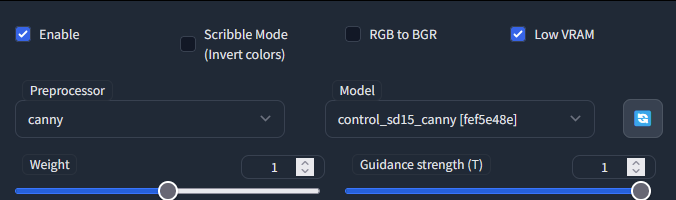
- ติ๊กถูก Enable เพื่อเปิดใช้งาน หากการ์ดจอไม่ดีหรือใช้แล้วมีปัญหา ติ๊กถูก Low VRAM
- ตั้งค่า Weight และ Strength ตามใจชอบ (มีอธิบายไว้แล้วตรง Parameters ด้านบน)
- Preprocessor ตอนนี้ให้เลือกให้ตรงกับโมเดลที่โหลดมาไปก่อน (อนาคตคงมีโมเดลมากว่านี้)
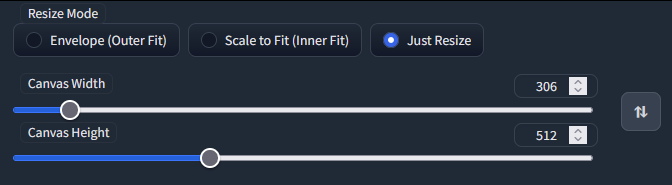
จุดนี้คือ resize ภาพ ใช้สำหรับสร้าง canvas ไม่จำเป็นต้องตั้ง ไกด์ส่วนมากจะบอกให้ตั้งให้ตรงกับ img2img
กด Generate ตามปกติ